
|
| Home
about PCT
Presentation
Order |
| |
|
 |
The Method of Levels
How to do Psychotherapy
Without Getting in the Way |
| |
|
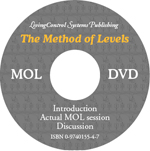
1) An ISO file you can
download and burn to disc: MOLdvd.iso 2.4 GB |
| |
|
|
2) Download and view files on your computer
These files display less picture resolution than the MOL DVD (which has a resolution of 720x480 pixels), but the sound is just as good. This way the file size for the .mpg files is just over one sixth. Windows .wmv files have 15 instead of 30 frames per second and have more visual compression so they are even smaller, but the sound is still excellent. |
| |
|
|
| Video segment |
File |
File size |
| |
|
|
| Introduction by Tim Carey: |
|
|
| MPG file, 352x240 pixels, 30 fps, for Win and Mac |
intro.mpg |
23 MB |
| WMV file, 352x240 pixels, 15 fps for Win only |
intro.wmv |
9 MB |
| |
|
|
Mol session |
|
|
| MPG file, 352x240 pixels, 30 fps, for Win and Mac |
session.mpg |
337 MB |
| WMV file, 352x240 pixels, 15 fps for Win only |
session.wmv |
130 MB |
| |
|
|
Discussion |
|
|
| MPG file, 352x240 pixels, 30 fps, for Win and Mac |
discussion.mpg |
123 MB |
| WMV file, 352x240 pixels, 15 fps for Win only |
discussion.wmv |
48 MB |
|
©
2004–2024 Living Control Systems Publishing
Dag Forssell, Publisher, Webmaster
dag at livingcontrolsystems dot com
|